Wave Terminal
Wave Terminal is an open-source, modern terminal application designed for developers, offering rich features and a customizable experience.
Detailed Introduction
Wave Terminal is a modern, open-source terminal application for developers that emphasizes customizable layouts, widgets, and plugin support to improve command-line usability. It aims to increase developer productivity through flexible UI components and built-in integrations.
Main Features
- Customizable layouts and draggable widgets supporting multiple view compositions.
- Multi-tab session management with quick switching and persistent sessions.
- Plugin and extension mechanism to integrate third-party tools and AI capabilities.
- Keyboard-optimized shortcuts and workflows for efficient command-line operations.
Use Cases
- Replacing traditional terminals with richer visual and interactive features.
- Quick access to web links and embedded tools within local development workflows.
- An extensible development platform with AI assistants and plugins for debugging and exploration.
Technical Highlights
- Open-source implementation with cross-platform compatibility and performance focus.
- Support for custom themes, shortcuts, and a plugin API.
- Example configurations and documentation to accelerate adoption and customization.
Below is a screenshot example showing the default layout and widget configuration:
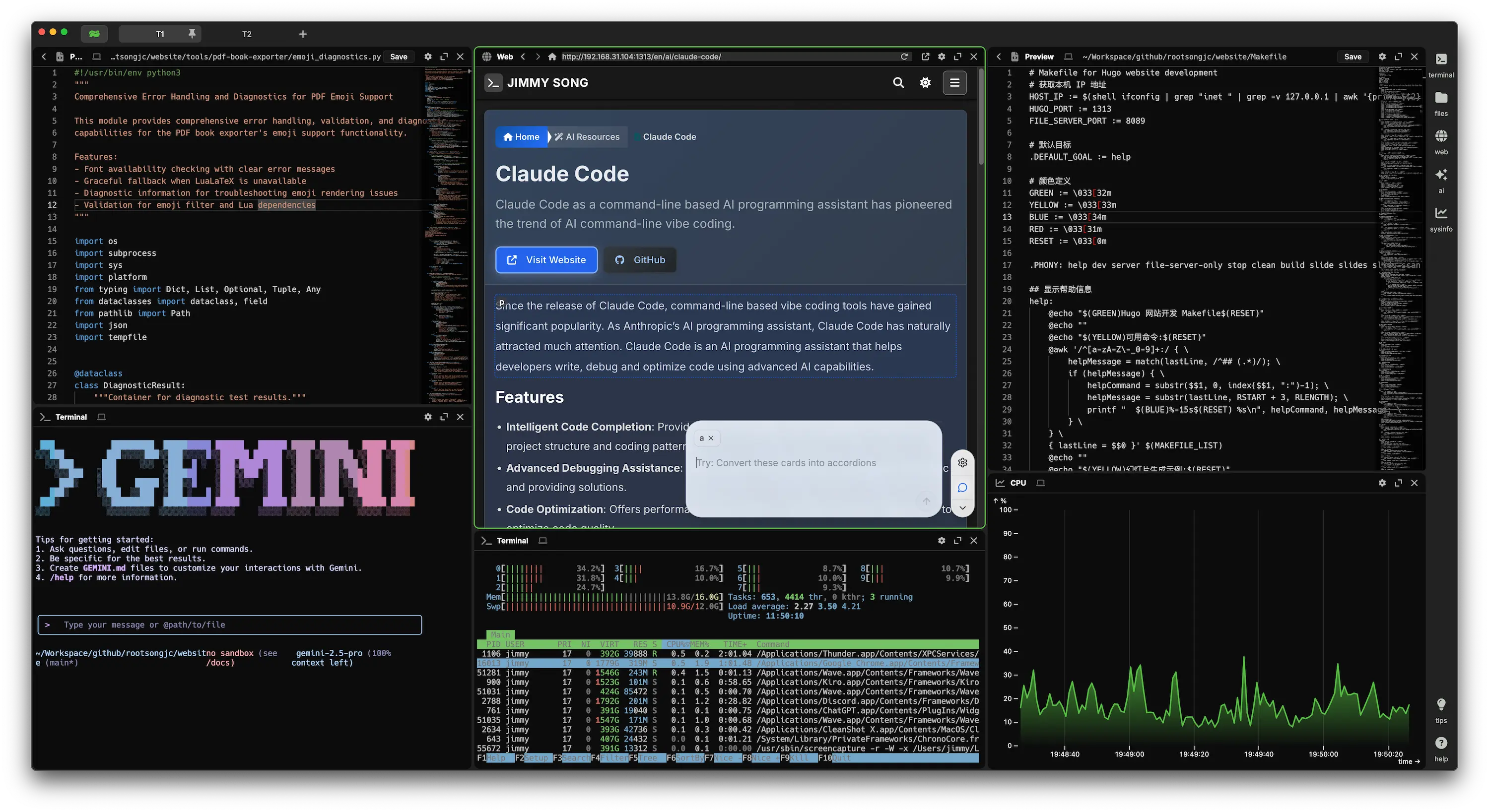
What I love most about it is the ability to freely customize the command line, such as dragging and dropping widgets for layout, directly opening web pages, built-in AI support, and most importantly, it partially solves the inconvenience of browsing directories in the command line. If it could add visual Git management, I think it would be perfect - it would be like a command-line version of VS Code.