I’ve been spending more time recently experimenting with vibe coding tools on real projects, not demos. One of those projects is my own website, where I constantly tweak content structure, navigation, and layout.
During this process, I started using Verdent’s standalone Mac app more seriously. What stood out was not any single feature, but how different the experience felt compared to traditional AI coding tools.
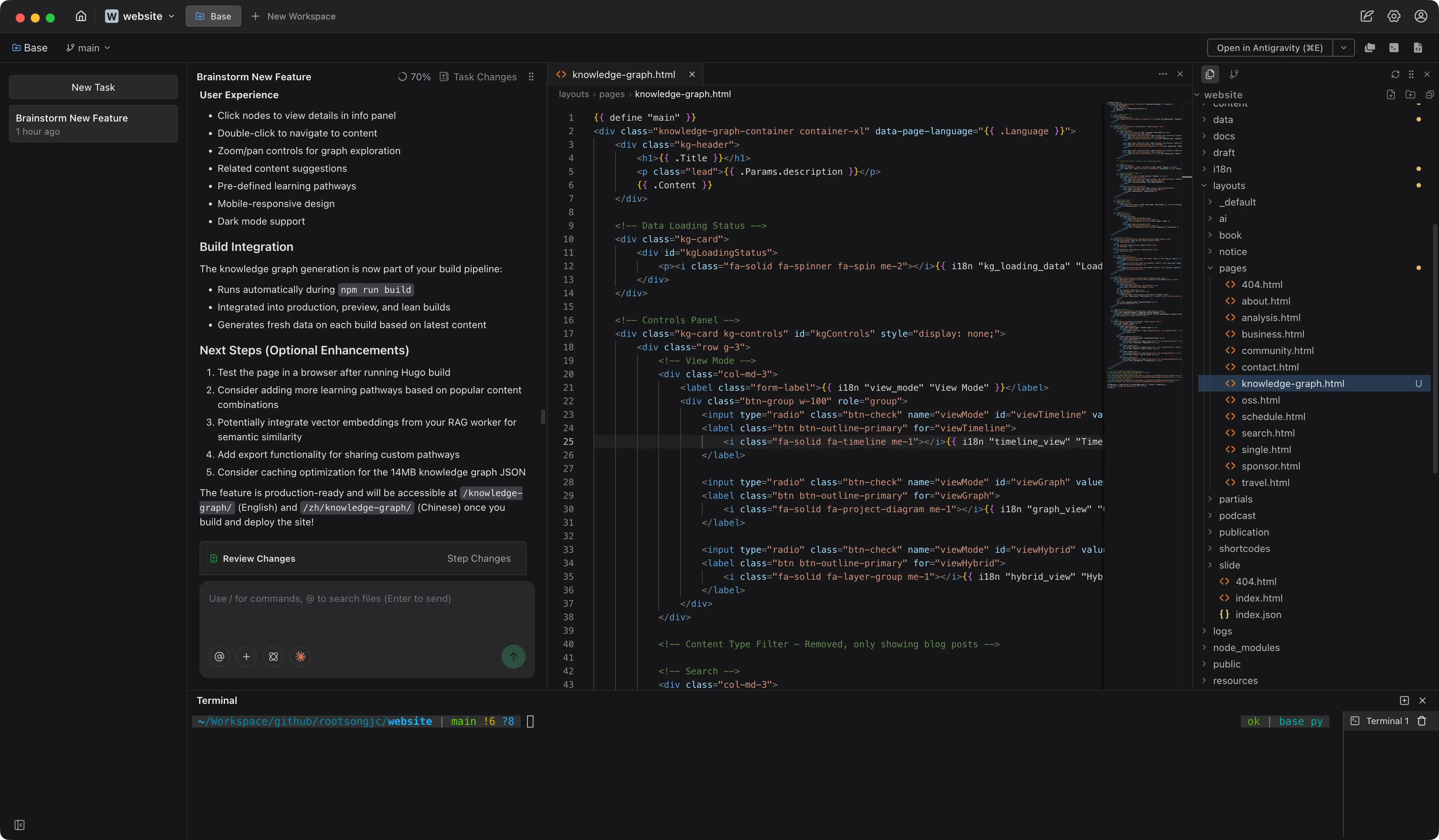
Verdent doesn’t behave like an assistant waiting for instructions. It behaves more like an environment where work happens in parallel.
A Different Starting Point: Tasks, Not Chats
Most AI coding tools begin with a conversation. Verdent begins with tasks.
When I opened my website repository in the Verdent app, I didn’t start with a long prompt. I created multiple tasks directly: one to rethink navigation and SEO structure, another to explore homepage layout improvements, and a third to review existing content organization.
Each task immediately spun up its own agent and workspace. From the beginning, the app encouraged me to think in parallel, the same way I normally would when sketching ideas on paper or jumping between files.
This framing alone changes how you work.
Built for Multitasking, Without Losing Context
Switching contexts is unavoidable in real development work. What usually breaks is continuity.
Verdent handles this well. Each task preserves its full context independently. I could stop one task mid-way, switch to another, and come back later without re-explaining the problem or reloading files.
For example, while one agent was analyzing my site’s navigation structure, another was exploring layout options. I moved between them freely. Nothing was lost. Each agent remembered exactly what it was doing.
This feels closer to how developers think than how chat-based tools operate.
Safe Parallel Coding with Workspaces
Parallel work only becomes truly safe when code changes are isolated. When parallelism moves from discussion to actual code modification, risk management becomes essential.
Verdent solves this with Workspaces. Each workspace is an isolated, independent code environment with its own change history, commit log, and branches. This isn’t just about separation—it’s about making concurrent code changes manageable.
What this means in practice:
- Multiple tasks can write code simultaneously
- Changes remain isolated from each other
- If conflicts arise, they’re visible and cleanly resolvable
I intentionally let different agents operate on overlapping parts of my project: one modifying Markdown content and links, another adjusting CSS and layout logic. Both ran in parallel. No conflicts emerged. Later, I reviewed the diffs from each workspace and merged only what made sense.
This kind of isolation removes significant anxiety from AI-assisted coding. You stop worrying about breaking things and start experimenting more freely, knowing that each change exists in its own contained environment.
Parallel Agent Execution Feels Like Delegation
Parallelism doesn’t mean that all agents complete the same phase of work at the same time—instead, by isolating and overlapping phases, what was once a strictly sequential process is compressed into a more efficient, collaborative mode.
In Verdent, each agent runs in its own workspace, essentially an automatically managed branch or worktree. In practice, I often create multiple tasks with different responsibilities for the same requirement, such as planning, implementation, and review. But this doesn’t mean they all complete the same phase simultaneously.
These tasks are triggered as needed, each running for a period and producing clear artifacts as boundaries for collaboration. The planning task generates planning documents or constraint specifications; the implementation task advances code changes based on those documents and produces diffs; the review task, according to the established planning goals and audit criteria, performs staged reviews of the generated changes. By overlapping phases around artifacts, the originally strict sequential process is compressed into a workflow that more closely resembles team collaboration.
The value of splitting into multiple tasks is not parallel execution, but parallel cognition and clear collaboration boundaries.
While it’s technically possible to put multiple roles into a single task, this causes planning, implementation, and review to share the same context, which weakens role isolation and the auditability of results.
Configurability and Design Trade-offs
Beyond the workflow model itself, Verdent exposes a surprisingly rich set of configurable capabilities.
It allows users to customize MCP settings, define subagents with configurable prompts, and create reusable commands via slash (/) shortcuts. Personal rules can be written to influence agent behavior and response style, and command-level permissions can be configured to enforce basic security boundaries. Verdent also supports multiple mainstream foundation models, including GPT, Claude, Gemini, and K2. For users who prefer a lightweight coding experience without a full IDE, Verdent offers DiffLens as an alternative review-oriented interface. Both subscription-based and credit-based pricing models are supported.
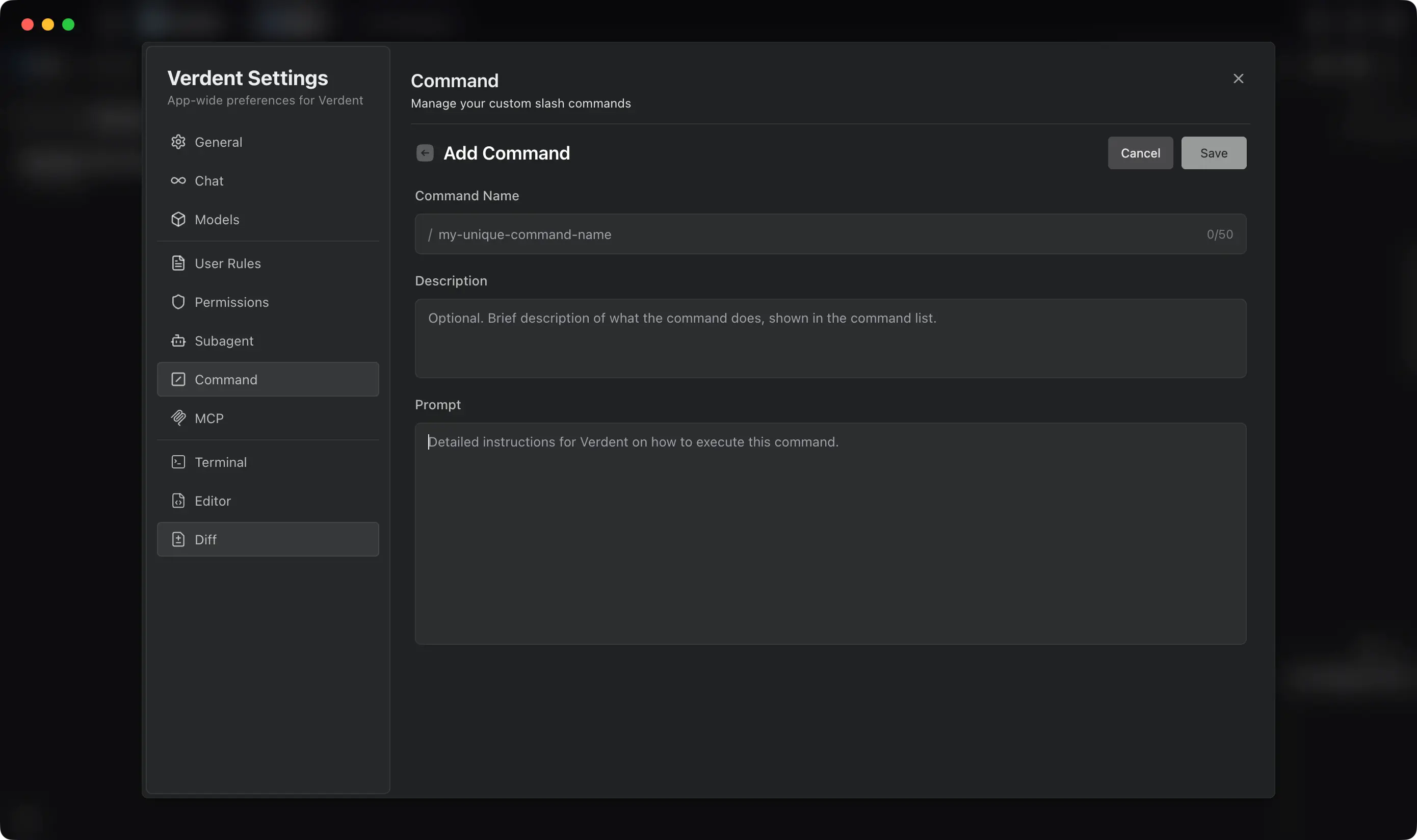
That said, Verdent makes a clear set of trade-offs. It is not built around tab-based code completion, nor does it offer a plugin system. If it did, it would start to resemble a traditional IDE - which does not seem to be its goal. Verdent is not designed for direct, fine-grained code manipulation; most changes are mediated through conversational tasks and agent-driven edits. This makes the experience clean and focused, but it also means that for large, highly complex codebases, Verdent may function better as a complementary orchestration layer rather than a full-time development environment.
Where Verdent Fits Today
There are many AI-assisted coding tools emerging right now. Some focus on smarter editors, others on faster generation.
Verdent feels different because it focuses on orchestration, not just assistance.
It doesn’t try to replace your editor. It sits one level above, coordinating planning, execution, and review across multiple agents.
That makes it particularly suitable for exploratory work, refactoring, and early-stage design - exactly the kind of work I was doing on my website.
Final Thoughts
Using Verdent’s standalone app didn’t just speed things up. It changed how I structured work.
Instead of doing everything sequentially, I started thinking in parallel again - and letting the system support that way of thinking.
Verdent feels less like an AI feature and more like an environment that assumes AI is already part of how development happens.
For developers experimenting with AI-native workflows, that shift is worth paying attention to.